How to Mine Kaspa: A Step-by-Step Guide for 2026
Set up a Kaspa ASIC miner, connect it to a pool, check that it works and calculate your real profit. Includes solo mining and troubleshooting.

Bruma
Author
In short
To mine Kaspa you need an ASIC miner, a Kaspa wallet and a mining pool: connect the miner to your router by Ethernet, enter the pool and your wallet address in its web interface, then check that its hashrate appears on the pool. With October 2026 numbers, only the most efficient machines profit at $0.10 per kWh, and GPUs no longer pay.
Can you still mine Kaspa at home, and does it pay?
Maybe you have seen a small Kaspa miner humming on someone's desk and wondered whether you could do the same. The honest answer is that you can, and the setup is easier than it sounds: there is no software to compile and no command line to learn. The hard part is not the technology, it is the numbers.
In this guide we will first check whether mining makes sense for you, then set up an ASIC miner step by step: create a wallet, choose a pool, configure the machine, and verify that it is really earning. We will finish with solo mining, troubleshooting and the practical side of running a loud, hot machine at home.
First, check the numbers
Mining income depends on three things you do not control: the KAS price, the total network hashrate and the block reward. It also depends on one thing you do control: what you pay for electricity.
Here is a worked example with October 2026 figures: a network hashrate of about 340 PH/s, a block reward of about 2.06 KAS, 10 blocks per second and a price of about $0.04. Each TH/s of hashrate earns roughly 5.2 KAS, or about $0.21, per day.
| Miner | Hashrate | Power | Revenue per day | Power cost per day | Break-even price |
|---|---|---|---|---|---|
| Bitmain Antminer KS7 | 40 TH/s | 3,080 W | ~$8.40 | ~$7.40 | ~$0.11/kWh |
| IceRiver KS7 | 30 TH/s | 3,500 W | ~$6.30 | ~$8.40 | ~$0.075/kWh |
| IceRiver KS7 Lite | 4.2 TH/s | 500 W | ~$0.88 | ~$1.20 | ~$0.073/kWh |
| IceRiver KS0 Ultra | 0.4 TH/s | 100 W | ~$0.08 | ~$0.24 | ~$0.035/kWh |
The power cost assumes electricity at $0.10 per kWh, and the break-even price is the electricity price at which revenue and power cost are equal.
As you can see, even at $0.10 per kWh, which is already cheaper than most household tariffs in the US and Europe, only the most efficient machine makes a small profit. And these numbers move against miners over time: the block reward falls about 5.6% every month, so if the price and hashrate stay the same, revenue falls too.
That does not mean mining is pointless. People with cheap or surplus electricity, or who heat a room with their miner in winter, can still come out ahead, and some mine simply to accumulate KAS. But buy hardware only after running your own numbers in our mining calculator.
What you will need
- A Kaspa ASIC miner. Our guide to the best Kaspa miners compares the current models.
- A suitable power supply and circuit. Small units like the KS7 Lite run on a normal outlet; large ones like the KS7 need a 220 V-class supply and a circuit rated for about 3.5 kW.
- A wired Ethernet connection to your router. Most ASIC miners have no Wi-Fi.
- A Kaspa wallet address to receive your rewards.
- A place where noise and heat are acceptable. Large miners are about as loud as a vacuum cleaner and run all day.
Step 1: Create a Kaspa wallet
Your mining rewards go to a Kaspa address, so create one first. Kaspium on your phone or Kaspa NG on your computer are straightforward choices, and our guide to the best Kaspa wallets explains the options.
Write down the seed phrase on paper and keep it offline. Then copy your receiving address, which starts with kaspa:. You will paste it into the miner's settings in step 4. Avoid the deprecated KDX and web wallets for new setups.
Once you have the address, you are ready to choose the hardware.
Step 2: Choose your miner
Every miner trades off three things: hashrate, efficiency (how many joules it uses per TH, where lower is better) and how practical it is at home.
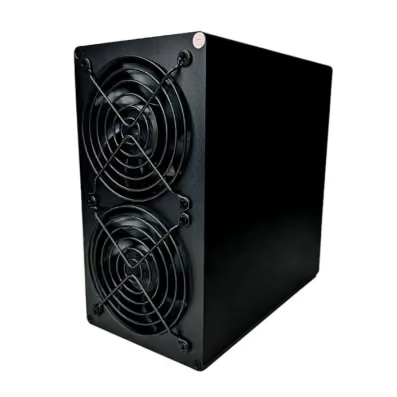
- Bitmain Antminer KS7: 40 TH/s at 3,080 W, about 77 J/TH. The most efficient option in 2026, but loud and power-hungry.
- IceRiver KS7: 30 TH/s at 3,500 W, about 117 J/TH. A large, powerful unit for a garage or a hosting facility.
- IceRiver KS7 Lite: 4.2 TH/s at 500 W, about 119 J/TH. Small and relatively quiet, the most practical choice for a home.
- IceRiver KS0 Ultra: 0.4 TH/s at 100 W. A desk-sized hobby miner; fun to run, but it rarely pays for itself.
Buy from the manufacturer or a reputable reseller, because second-hand and "pre-order" scams are common in mining hardware. For a deeper comparison, including older models, see our guide to the best Kaspa miners.
Step 3: Choose a mining pool
A single small miner would find a Kaspa block only occasionally. A mining pool combines the hashrate of many miners and shares the rewards in proportion to the work each one contributes, so you receive small, regular payments instead of rare large ones.
When comparing pools, look at:
- The fee, usually around 1% for Kaspa pools. Check the current figure on the pool's own website, because fees change.
- The payout method. PPS and PPS+ pay a fixed amount per share and absorb the luck for you; PPLNS pays based on the blocks the pool actually finds, so payouts vary more but the fee is often lower.
- The minimum payout, which decides how often your earnings are sent to your wallet.
- Server locations close to you. A nearby server means fewer rejected shares.
- The pool's size. Larger pools pay more evenly, but spreading hashrate across several pools keeps the network more decentralized.
Well-known pools with Kaspa support include F2Pool, ViaBTC, K1Pool, HeroMiners, 2Miners and Kryptex Pool. Many, such as HeroMiners, 2Miners, K1Pool and Kryptex Pool, do not even require an account: you connect with your Kaspa address and follow your earnings on their website. Others, such as F2Pool and ViaBTC, ask you to create an account and use its name instead.
Your pool will give you a stratum address, which looks something like stratum+tcp://pool.example.com:port. Keep it handy for the next step.
Step 4: Set up the miner
Now let's put it together.
- Connect the miner to your router with an Ethernet cable, then connect it to power. Let the fans spin up for a minute.
- Find the miner's IP address. You can look in your router's list of connected devices, or use the manufacturer's scanning tool if it provides one.
- Type that IP address into a browser on the same network to open the miner's web interface, and log in with the default credentials from the manual.
- Change the default password right away, so nobody else on your network can redirect your hashrate.
- Open the pool settings and paste the pool's stratum address. As the worker or username, enter your Kaspa address (or your account name on account-based pools), usually followed by a dot and a name for this machine, for example kaspa:yourAddress.rig1. Check the exact format in your pool's instructions.
- Add a second pool as a backup if the interface allows it, then save and let the miner restart.
If the manufacturer offers firmware updates, download them only from its official website. Modified third-party firmware is a common way to hide a "dev fee" that quietly sends part of your hashrate elsewhere.
Step 5: Check that it is really working
Before celebrating, let's verify the miner is earning, not just making noise.
- In the miner's dashboard, the hashrate should climb close to the rated value within a few minutes, and the pool status should show as connected or alive.
- Accepted shares should increase steadily, while rejected shares should stay low, typically below 1 to 2%.
- After ten to thirty minutes, search for your Kaspa address on the pool's website. Your worker should appear with a hashrate similar to what the miner reports.
- Check chip and board temperatures against the limits in the manual, especially in the first hours.
- Once you reach the pool's minimum payout, your first KAS should arrive in your wallet.
If all of this looks right, your setup is working. Check the dashboard occasionally, and especially after power cuts or firmware updates.
Troubleshooting common problems
Work through problems one change at a time, starting from the simplest cause.
The miner does not show up on the network. Check the Ethernet cable and the router port first, then try a different port. Some miners take a few minutes to request an address after booting.
It is online but the pool shows nothing. Double-check the stratum address and port for typos, and make sure the worker name uses your full kaspa: address. If your network has a firewall, it must allow outgoing connections to the pool's port. Remember that pool statistics can take several minutes to appear.
Many rejected shares. This usually means latency. Switch to a pool server closer to you, and avoid connecting the miner through Wi-Fi extenders or overloaded networks.
Hashrate is lower than expected. Look at temperatures: miners slow down when they overheat. Clean dust from the fans, improve airflow and check that the power supply delivers enough power. If one hashboard reads zero, contact the seller.
Payouts have not arrived. Check whether you have reached the pool's minimum payout, and that the payout address in the pool matches your wallet. You can confirm any payment on explorer.kaspa.org.
What about solo mining?
On Bitcoin, solo mining with a small machine is a lottery ticket. On Kaspa it is far more realistic, because the network creates 864,000 blocks a day. With October 2026 numbers, a 0.4 TH/s KS0 Ultra finds about one block per day on average, and a 30 TH/s machine about seventy-five. Solo mining also has no pool fee.
The trade-off is effort and variance. To mine solo yourself, you run a full Kaspa node (the official Rusty Kaspa software) plus a stratum bridge, a small program that lets ASICs talk to your node, and you keep both online and up to date. Your daily income will swing more than in a pool, especially with a small miner. Some pools offer a "solo" mode as a middle ground: you mine through their server, but keep the full reward of every block you find, minus a fee.
What about GPU mining?
Kaspa was mined with graphics cards in its early days, and GPU mining software such as lolMiner, BzMiner and SRBMiner still supports its kHeavyHash algorithm. But since ASIC miners arrived in 2023, a GPU produces only a tiny fraction of an ASIC's hashrate for similar power. In practice, a graphics card mining Kaspa today spends more on electricity than it earns. If you already own GPUs, other algorithms are a better use for them.
Running a miner day to day
A few practical points that rarely make it into mining guides:
- Electricity safety. A 3.5 kW miner draws a lot of current all day. Use a dedicated circuit and quality cables, and ask an electrician if you are unsure.
- Heat and noise. Large units output as much heat as a space heater and run at around 75 dB. Plan where the hot air and the noise will go.
- Taxes. In many countries mined coins count as income when you receive them. Keep a record of your payouts.
- Maintenance. Clean dust regularly, check temperatures after weather changes, and recheck profitability every month as the reward drops.
So, that's it!
Your miner is now connected to a pool, you have checked that its hashrate appears there and that payouts reach your wallet, and you know how to diagnose the most common problems. From here, the most important habit is to revisit the numbers regularly: the block reward drops every month, and the price and network hashrate change every day.
If you are still choosing hardware, our guide to the best Kaspa miners compares efficiency and break-even costs, and the mining calculator lets you plug in your own electricity price. Happy mining, and keep an eye on those temperatures.
FAQs
Quick answers to the questions readers ask most about this topic.
It can be, but only with efficient ASIC miners and cheap electricity. With October 2026 numbers, current-generation miners break even only below roughly $0.07 to $0.11 per kWh, and older models below $0.06. The block reward also falls about 5.6% every month. Use a profitability calculator with your own electricity price before buying hardware.
Technically yes, but it is no longer worth it. Since ASIC miners for Kaspa's kHeavyHash algorithm arrived in 2023, a graphics card earns far less than the electricity it uses. GPUs are better used for other algorithms.
A Kaspa ASIC miner, a suitable power supply and circuit, a wired internet connection, a Kaspa wallet address to receive rewards, and either a mining pool or your own node for solo mining.
Most people should start with a pool, which pays small, regular amounts for a fee of around 1%. Because Kaspa makes 10 blocks per second, solo mining is more realistic than on Bitcoin: even a small 0.4 TH/s miner finds about one block a day on average. It requires running your own node or using a pool's solo mode.
A small, quiet unit such as the IceRiver KS7 Lite is the easiest to run at home, because it works on a normal power outlet. Larger machines like the Bitmain KS7 are far more efficient but loud, hot and power-hungry. Our guide to the best Kaspa miners compares them.

Author
Bruma- Published
- Last updated